

Overview
In the digital world, user experience is paramount. A vital aspect of this experience is the stability of a webpage's content. Have you ever been visiting e-commerce when something suddenly changes on the page? Without warning, the text, the image etc., moves, and you've lost your place.
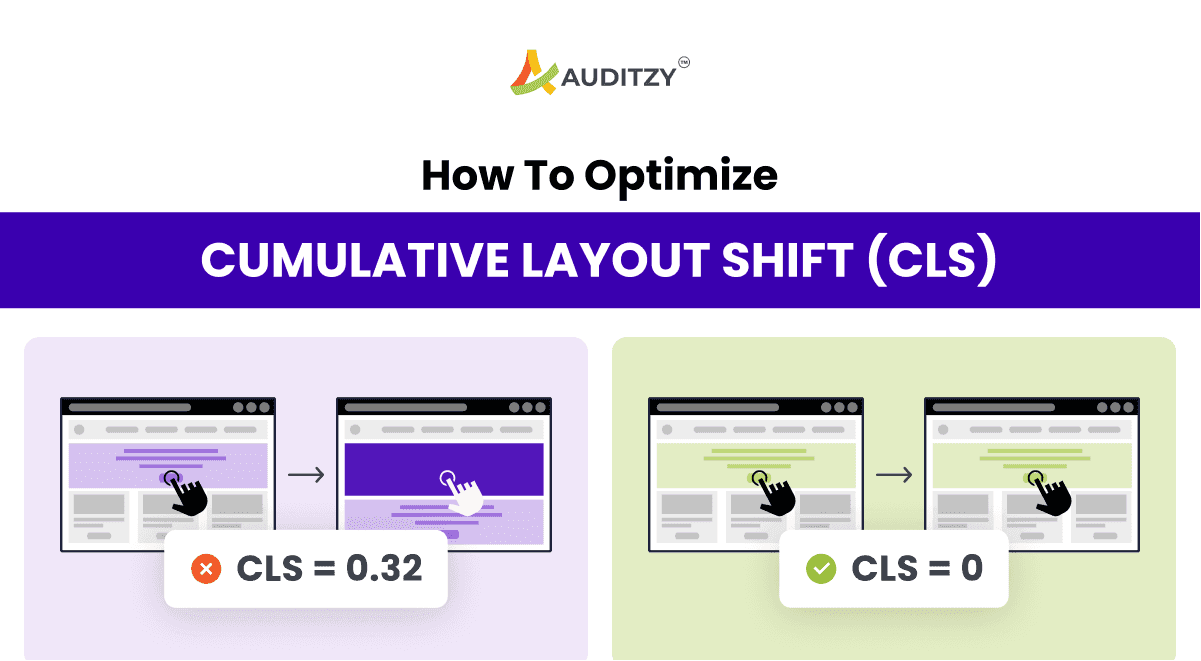
Imagine this: you're just about to tap a link or a button on a webpage, but just as your finger is about to touch the screen - surprise! - the link or button moves suddenly, and you end up tapping something completely different! This annoying thing is known as Cumulative Layout Shift (CLS). It's a way to measure how much a webpage moved around when you didn't expect it to!
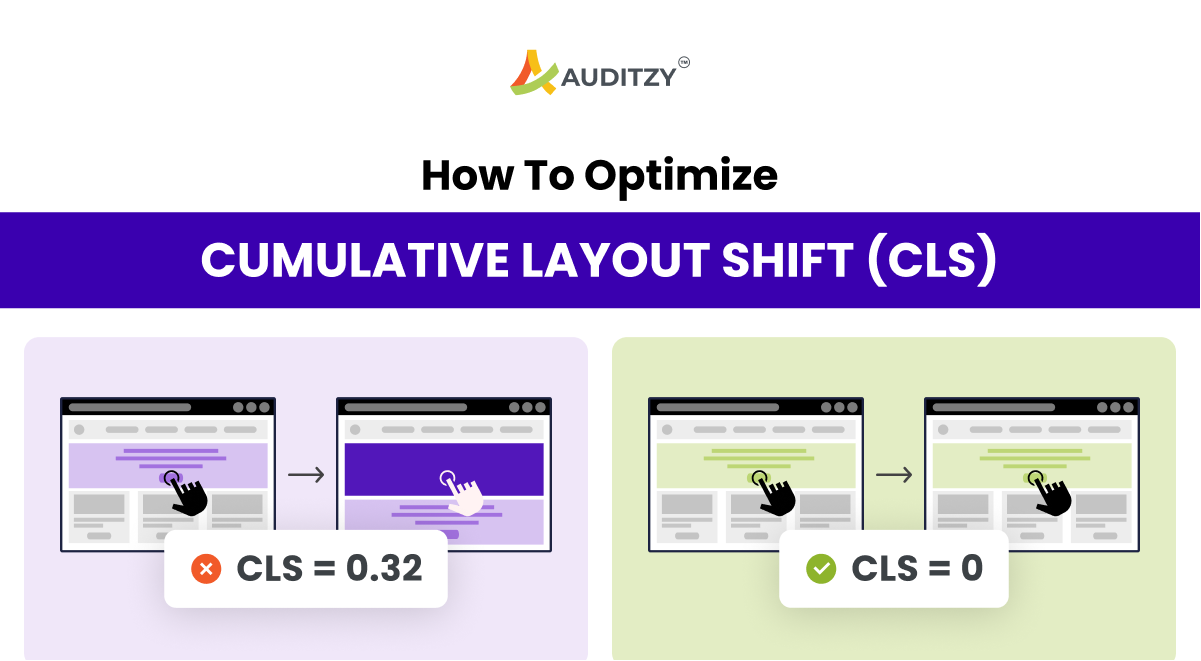
Understanding and optimizing CLS provides a better user experience and boosts your search result rankings. It's a win-win. This article will delve into the details of CLS, its importance, how to measure it, and how to improve it.
What is Cumulative Layout Shift (CLS)?
Cumulative Layout Shift (CLS) is a metric that measures the unexpected movement of content on a webpage. It's a key factor in assessing user experience.
As per Google,
CLS is a measure of the largest burst of layout shift scores for every unexpected layout shift that occurs during the entire lifespan of a page. A layout shift occurs when a visible element changes its position from one rendered frame to the next.
For example, if a website visitor loaded a page while they were reading it, the banner loads, and the page jumps down, that would constitute a significant CLS score. Unexpected movement of page content usually happens because resources are loaded asynchronously, or DOM elements get dynamically added to the page above existing content. The culprit might be an image or video with unknown dimensions, a font that renders larger or smaller than its fallback, or a third-party ad or widget that dynamically resizes itself.
Why is CLS Important?
Understanding CLS is critical for two reasons:
- your website visitor's experience, and
- your website search engine ranking
User Experience
Your visitors have high expectations when it comes to your site's performance. In 2020, 93% of people reported leaving a website because it didn't load properly. Jumpy websites that load in pieces or with unexpected behaviour will cause your visitors to find another website to browse. And if they do stick around, a high CLS score will likely cause usability problems like choosing the wrong option, checking out too early, or missing parts of your website altogether.
This problem is only worsened by many internet users browsing on their smartphones. Any jumps and layout shifts will significantly impact the mobile user experience when viewing your site on a small screen. Optimizing your site and reducing your cumulative layout shift is essential to providing customers with a good experience.
Search Engine Ranking
Secondly, Google ranks sites based on their page performance. A better user experience results in a higher search ranking. Your site will be penalized if your page doesn't meet Google's Core Web Vitals guidelines standards. Google doesn't want to direct people to sites that don't perform well. Aligning with CLS best practices can help your website move up the rankings. And since 68% of online experiences start with a search, ensuring your site shows up on the search results page is essential to generating inbound traffic.
CLS is part of Core Web Vitals and accounts for 25% of the website performance score; you can check your website CLS 6 months history here for free.
How to Measure CLS?
You can measure CLS in two ways: Lab Data and Field Data (aka Core Web Vitals).
Tools like Auditzy™ will help you find CLS on more than 40+ device viewports, networks and server locations in Lab Auditzy™ Core Web Vitals Checker will help you find the last 6-month report of your actual website visitor's CLS report.
It's important to note that CLS can also happen because of Devices Viewport, Network Speeds, and the user's distance for the website-hosted server locations.
What is a good CLS score?
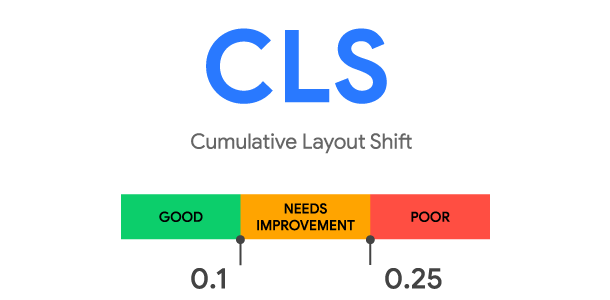
A good Cumulative Layout Shift (CLS) score is 0.1 or lower. This score indicates that the webpage has minimal unexpected layout shifts, providing a stable and user-friendly experience.
As per Google,
How to Improve CLS?
To improve CLS, you need to keep below pointers in mind:
- Add Skelton Loader or Placeholder for all asynchronously fetched data rendering regions.
- Load new content below the viewport if you have a large DOM (Document Object Model).
- Make Sure fonts are pre-loaded before rendering.
- Define proper dimensions for Images and Videos.
- Set Width and Height for Banner Ads, Embeds, and iFrames
Conclusion
Paying attention to CLS provides a better user experience and boosts your search result rankings. It's a win-win. To meet Google's CLS standards, use Auditzy™ to measure your website's current performance. Consider the basic guidelines outlined above, and keep layout shifts in mind when designing your website, especially around transitions and content additions. With these few simple considerations, you'll see better results.
If you want to know more about CLS in the Lab Data and Field Data, you can get started with Auditzy™.